
If you have ever wanted to access your NAS while sitting in a café, traveling for work, or simply relaxing on your couch, Synology QuickConnect makes that possible without complicated network setup. It is a remote access solution designed to connect you directly to your Synology NAS through the internet, securely and efficiently. Instead of dealing with manual router configuration, static IP addresses, or advanced networking knowledge, you get a streamlined connection experience.
What makes this system stand out is how simple it feels despite the powerful technology behind it. It bridges the gap between your local storage environment and the outside world, allowing you to log into your files, applications, backups, and media from virtually anywhere. Whether you are managing business documents or personal photos, this feature removes friction from remote access while maintaining strong security standards.
Getting Started with Synology QuickConnect
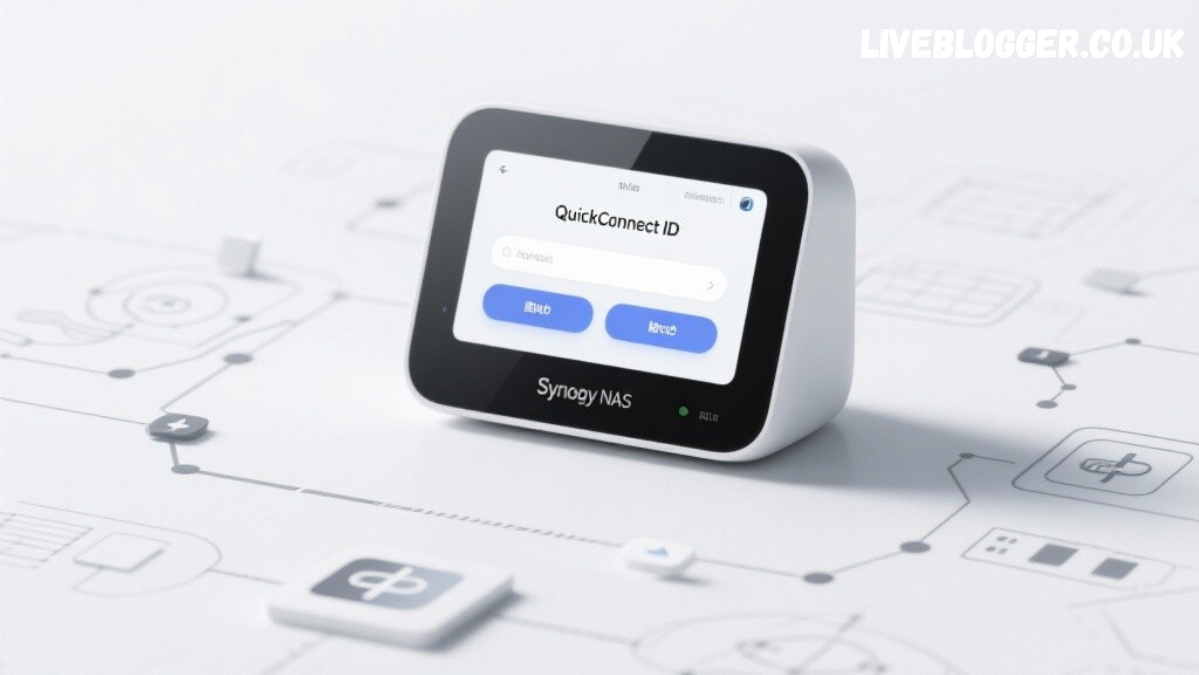
Setting up Synology QuickConnect is surprisingly straightforward. Once you have a Synology NAS running DiskStation Manager, you can enable the feature directly from the control panel. You create or sign in to your Synology account, choose a unique QuickConnect ID, and activate the service. From that point forward, you can access your NAS through a web browser or mobile app using that ID.
The beauty of the process lies in its automation. You do not need to configure port forwarding on your router or expose specific ports manually. The system automatically negotiates the most efficient connection path. For users who may feel intimidated by networking jargon, this approach removes unnecessary complexity and allows them to focus on productivity rather than configuration.
Synology QuickConnect Security and Privacy
Security is often the first concern when opening access to a device over the internet. Synology QuickConnect is built with encrypted connections to ensure that your data remains protected during transmission. Communication between your device and NAS uses secure protocols, helping prevent interception or unauthorized access.
Beyond encryption, you also retain full control over user permissions and authentication methods. You can enable two step verification, enforce strong password policies, and restrict access to specific applications. This layered approach ensures that convenience does not come at the expense of security. For businesses and professionals, that balance is critical.
How Synology QuickConnect Works Behind the Scenes
While it appears simple on the surface, Synology QuickConnect relies on intelligent connection management. When you attempt to access your NAS, the system first tries to establish a direct peer to peer connection. If your network environment allows it, you get a faster and more efficient route. If not, the system automatically routes traffic through secure relay servers.
This adaptive design ensures consistent connectivity regardless of network restrictions. In environments where traditional port forwarding might fail, QuickConnect provides a fallback method. As a result, users experience fewer connection errors and less downtime. The system works quietly in the background, optimizing access without requiring constant adjustments.
Benefits of Using QuickConnect for Personal Users
For home users, remote access often means streaming media, accessing photos, or retrieving important files. QuickConnect makes these tasks seamless. Instead of remembering complex IP addresses, you simply use your personalized ID. This simplicity encourages more consistent backups and file management, which improves overall data organization.
Another advantage is device compatibility. You can connect through web browsers, desktop applications, and mobile apps. Whether you use a laptop at work or a smartphone on the go, the experience remains consistent. This flexibility enhances the overall usability of your NAS and expands its practical value.
Benefits of Using QuickConnect for Business Environments
In professional settings, remote access can significantly enhance workflow efficiency. Teams can securely log into shared folders, collaborate on projects, and manage files without needing a VPN configuration. QuickConnect simplifies deployment, especially for small businesses without dedicated IT departments.
Additionally, centralized management remains intact. Administrators can monitor user access, configure permissions, and maintain oversight of data flow. This structured control ensures that remote accessibility does not compromise corporate governance or compliance requirements. Businesses gain agility while maintaining accountability.
Comparing QuickConnect with Traditional Port Forwarding
Traditional port forwarding requires manual configuration within your router. You must open specific ports and direct them to your NAS IP address. While effective, this method demands technical knowledge and introduces potential security risks if not configured properly.
QuickConnect eliminates most of that complexity. Instead of exposing ports broadly, it uses secure mediation to establish connections. This reduces the attack surface and minimizes misconfiguration risks. For most users, especially those without networking expertise, it offers a safer and more practical solution.
Optimizing Performance While Using Remote Access
Although QuickConnect is designed for convenience, performance can vary depending on your internet connection speed. Upload bandwidth from your home network plays a critical role in determining how quickly files are transferred remotely. Ensuring a stable and reasonably fast connection will enhance your overall experience.
You can also optimize performance by enabling direct connection options within the NAS settings. This allows the system to prioritize peer to peer communication when possible. Combined with proper router configuration and updated firmware, you can achieve smoother streaming and faster file transfers.
Managing Applications Through Remote Access
Beyond file access, QuickConnect allows you to manage various NAS applications. You can log into photo management tools, backup solutions, surveillance systems, and collaboration platforms. This transforms your NAS from simple storage into a remotely controlled productivity hub.
Having centralized application access means fewer interruptions. If you need to adjust backup schedules or review surveillance footage, you can do so instantly without returning to your physical office or home network. This level of accessibility empowers users to maintain control at all times.
Common Issues and Troubleshooting Tips
While generally reliable, users may occasionally encounter slow connections or login errors. The first step is verifying your internet connectivity on both ends. Restarting your router or NAS device can also resolve temporary network disruptions.
It is also important to ensure that your DiskStation Manager software is updated. Software updates often include performance improvements and security enhancements. Keeping your system current reduces compatibility problems and ensures stable operation.
Best Practices for Secure Remote NAS Access
To maximize safety, always use strong passwords and enable two step verification. Avoid sharing your QuickConnect ID publicly, and limit user permissions to only what is necessary. Regularly review login activity logs to detect unusual access attempts.
Another important habit is maintaining consistent backups. While remote access provides convenience, hardware failure or accidental deletion can still occur. Implement automated backup routines to protect your data against unexpected loss.
When QuickConnect Is the Right Choice
QuickConnect is ideal for users who want immediate remote access without networking complexity. It works particularly well for home users, freelancers, and small teams who value simplicity and reliability.
However, advanced enterprise environments with strict compliance requirements may prefer more customized solutions such as VPN deployments. Understanding your specific needs will help you determine whether this method aligns with your operational goals.
The Future of Remote NAS Connectivity
As remote work continues to grow, demand for simple yet secure access solutions will increase. QuickConnect represents a shift toward user friendly networking tools that prioritize accessibility without sacrificing security.
Synology continues refining its software ecosystem, integrating cloud hybrid solutions and improved encryption technologies. This ongoing development suggests that remote NAS connectivity will become even more seamless and efficient over time.
Conclusion
Synology QuickConnect bridges the gap between convenience and security in remote NAS access. It removes technical barriers while maintaining strong encryption and access control standards. For most users, it provides a balanced, efficient, and reliable method of accessing data from anywhere.
By combining ease of setup with intelligent connection management, this feature empowers individuals and businesses alike. Whether you are retrieving files, managing applications, or collaborating remotely, QuickConnect simplifies the entire process while keeping your data protected.
FAQs
What is Synology QuickConnect used for
It allows users to access their Synology NAS remotely over the internet without manually configuring router settings.
Is QuickConnect safe to use
Yes, it uses encrypted connections and supports strong authentication methods for secure access.
Do I need port forwarding for QuickConnect
No, it automatically manages connections without requiring manual port forwarding.
Can businesses rely on QuickConnect
Small and medium businesses often use it successfully for remote collaboration and file management.
Does QuickConnect affect performance
Performance depends mostly on internet speed and network stability, but direct connection options can improve efficiency.